How to turn your PDF menu into a QR code menu
You have your menu as a PDF and you want guests to scan a QR code to see it. There are two ways to do it. One takes five minutes and keeps all the problems of a PDF. The other takes about the same time and gives you a menu built for the phone. Here are both, step by step.
Option 1: link the PDF with a QR code generator
This is what most people mean by "PDF to QR code".
- Pick a QR code generator that has a PDF option.
- Upload your menu PDF. Keep it small, ideally under 5 MB, because guests download the whole file on their phone.
- Choose a dynamic code. A dynamic code lets you swap the PDF later without reprinting the QR code. A static code points at one file forever.
- Download the QR code, add it to your table cards and test it on an iPhone and an Android.
Check these before you print
- What happens when the free trial ends? Some generators switch off dynamic codes made during the free trial until you pay. Every printed code on your tables then stops opening your menu. Read the terms before printing.
- Who owns the code? If you stop paying, the code may stop working. Ask whether you can move it elsewhere.
- Does the code show the generator's logo? Free plans often add one.
The result: guests open a PDF on their phone. They pinch and zoom to read it, scroll through every page and wait for photos to download. Every price change still means editing the design and uploading a new PDF. We explain the limits of a PDF menu here.
Option 2: turn the PDF into a real phone menu
Instead of linking the file, you use the PDF as the source for a proper digital menu. Here is how it works on WOW Table:
- Upload your PDF at wow-table.com/try. Photos of a printed menu work too (JPG or PNG). No account needed.
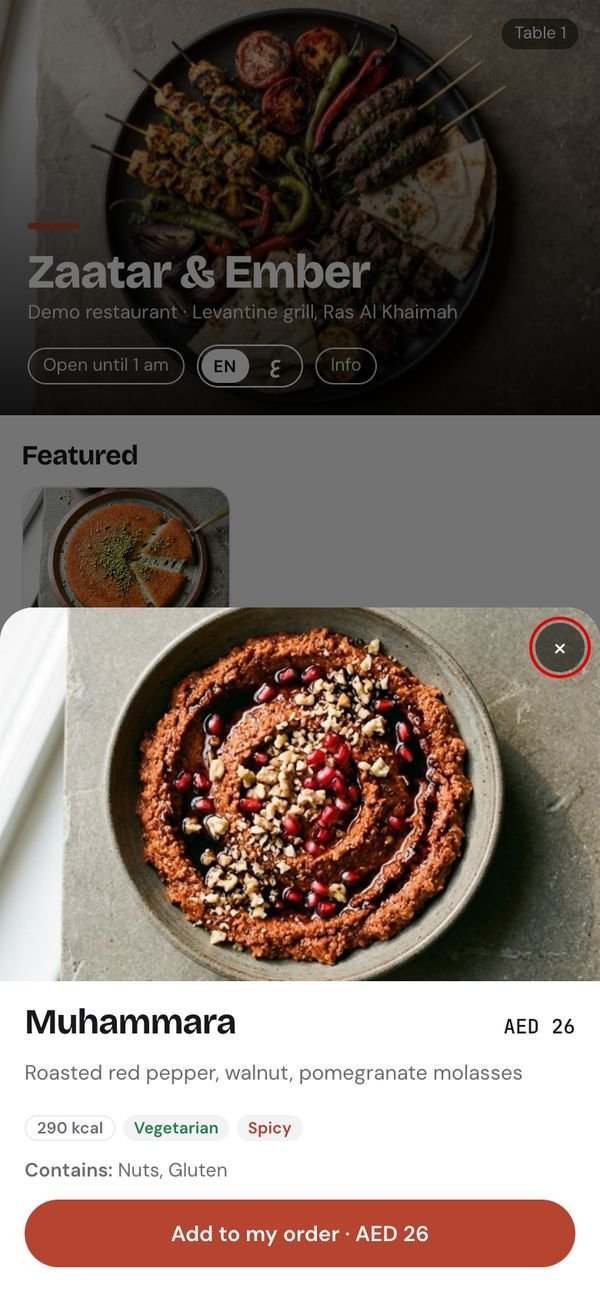
- Wait about two minutes. WOW Table reads every section, dish, description and price, and writes the menu in English and Arabic. If your PDF has dish photos, it finds them and puts them on the right dishes.
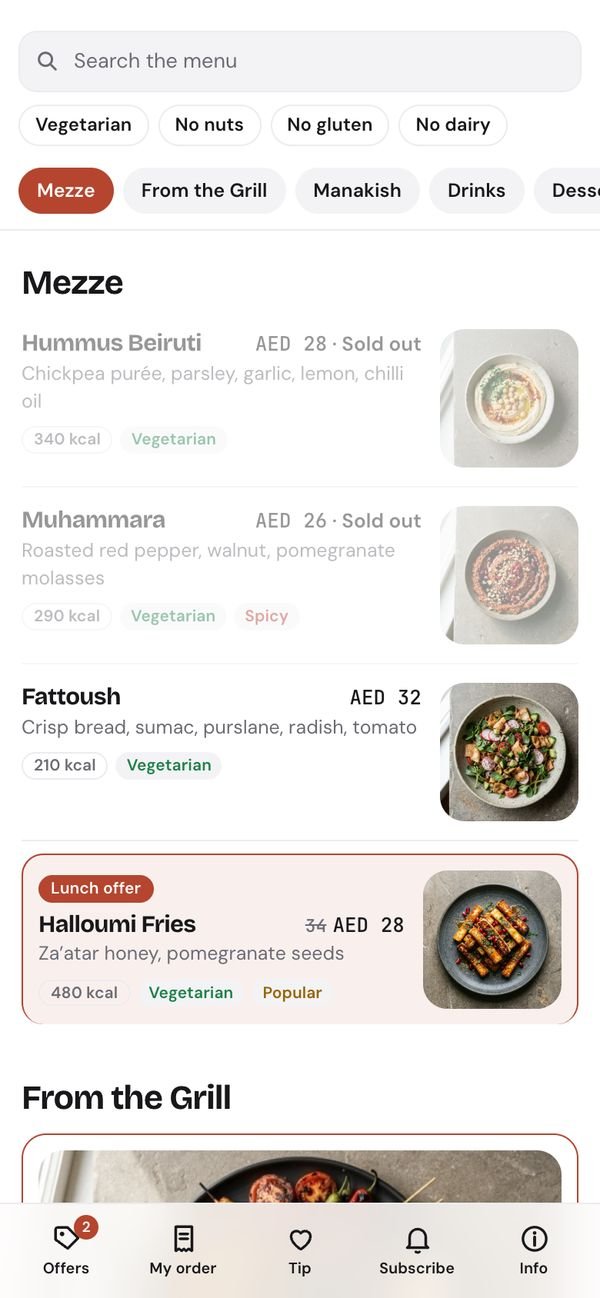
- Check it on your phone. You see the live menu with category tabs, search and allergen filters. Scan the preview on your own phone.
- Keep it. Start the 14-day free trial (no card) and the menu is yours. Fix anything the reader got wrong, add photos, choose one of seven designs and your colours.
- Print the table codes. Every table gets its own secure QR code. The codes never change, whatever you edit later.
Which one should you choose?
| PDF + QR generator | PDF turned into a phone menu | |
|---|---|---|
| Time to set up | About 5 minutes | About 5 to 15 minutes, checking included |
| Guests read it | By pinching and zooming | Easily, text sized for phones |
| Arabic | Only if your PDF has it | Written for you, guest taps عربي |
| Price change | Edit design, export, upload | Type the new price |
| Sold out, specials, schedules | No | Yes |
| Allergen filters, search | No | Yes |
| Ordering from the table | No | Optional, confirmed by a waiter |
| What it shows you | Scan counts, on paid plans | Scans per table and dish views |
If your menu never changes and you only need something on the table today, a PDF link works. If you change prices, run offers, serve Arabic-speaking guests or want fewer questions at the table, turn the PDF into a real menu. It is the same PDF and about the same time.
Tips for a clean result from your PDF
- Use the original export from your designer rather than a scan, if you have it. The text reads perfectly.
- Phone photos of a printed menu are fine: take them straight on, in good light, one page per photo.
- Check every price once the menu is built. Reading is very accurate, but you know your menu best.
- Check allergen information with your kitchen before going live.
Questions
How do I make a QR code for my PDF menu?
Either upload the PDF to a QR generator and print the code it gives you, or upload it to a digital menu service such as WOW Table, which turns the PDF into a phone menu and gives each table its own QR code.
Is a dynamic QR code better for a menu?
Yes, if you link a PDF. A dynamic code lets you change what it opens without reprinting. Check the provider's terms: some switch off dynamic codes when the free trial ends.
Can WOW Table read my PDF menu in Arabic?
Yes. WOW Table reads English or Arabic menus and writes the menu in both languages.
Is it free to try?
Yes. You can upload your menu at wow-table.com/try and see it live with no account. Keeping it starts a 14-day free trial, no card needed.